
Change the software/version on your Minecraft server
1 min read
We’ve made it super simple to change the server software and version on your Minecraft server.
-
Head to our game panel at panel.lilypad.gg and select your server.
-
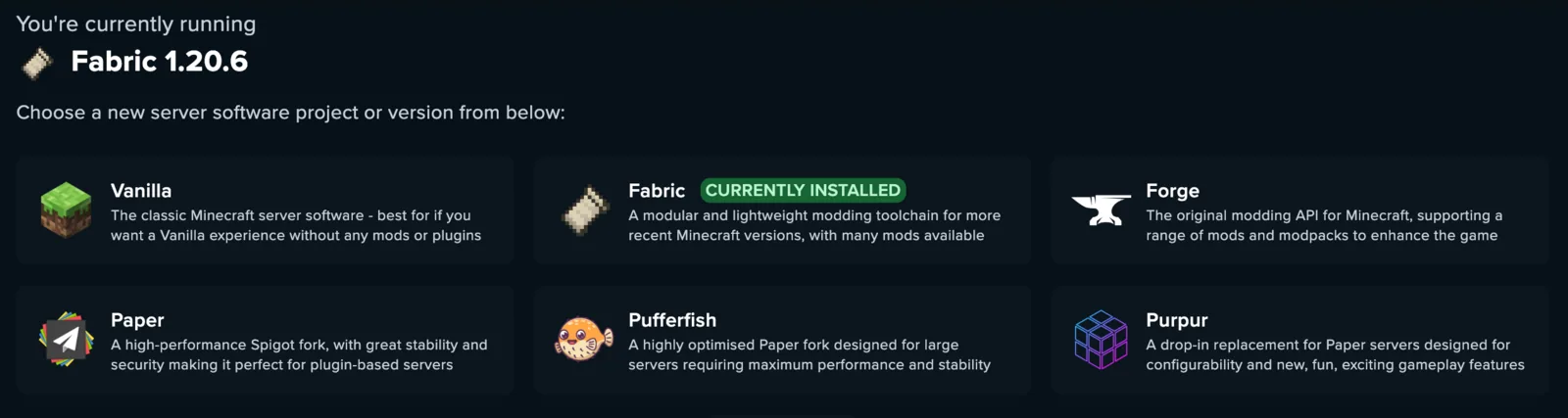
Select the Software button in the sidebar, then choose the server software you want to install. Not sure which one to pick? Read: Which Minecraft server software is right for me?
-
If you are updating by a major version, e.g. Minecraft 1.20 to 1.21, we recommend creating a backup beforehand via the Backups tab. Wait for it to complete then continue.
-
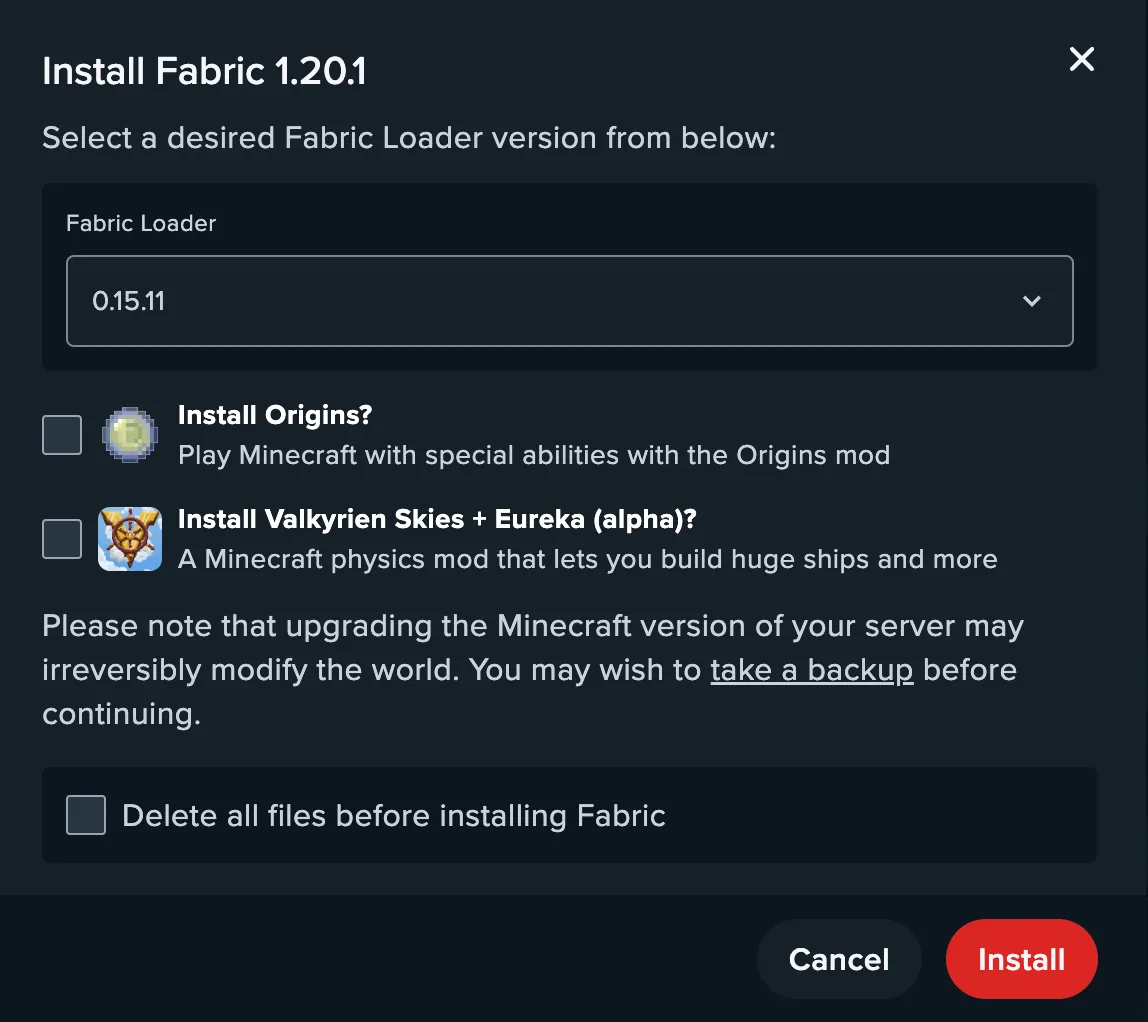
Choose a version to install, along with any available addons, and click Install at the bottom. Only select the Delete all files option if you want to reset your world too (this will wipe any existing player data!)
-
The next time you start up your server, it should now use the version you installed. Enjoy!
Still stuck?
Just get in touch! We're happy to help with any issues
Something not working? Check our status page to see if it's on our end