
Set up automatic restarts for your Minecraft server
1 min read
If you run an intensively modded server, it can be useful to schedule regular restarts for your server. This can improve stability by clearing out the RAM, along with offering a number of other benefits.
-
Head to our game panel at panel.lilypad.gg and select your server.
-
Select the Settings button in the sidebar and set your server’s time zone to whichever is easiest to understand.
-
Go to the Schedules tab, then press the Create Daily Restart button.
-
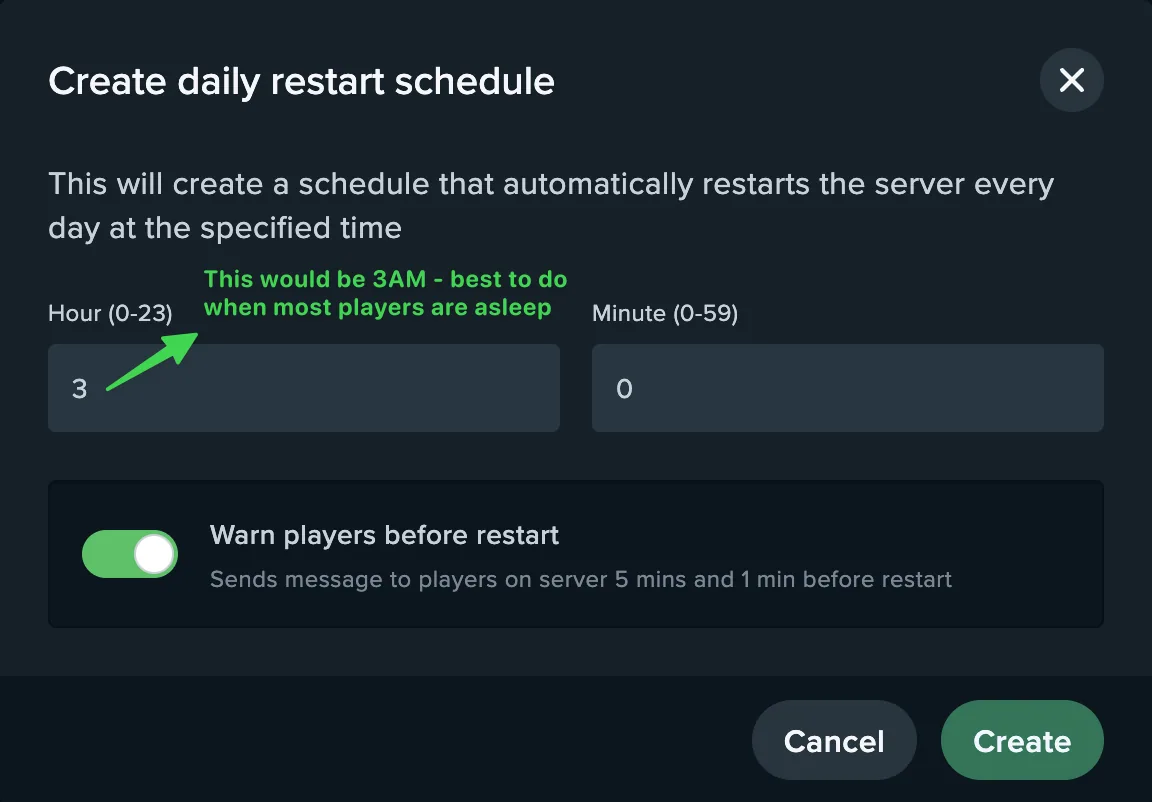
Enter the hour (in 24-hour time) and minute at which you’d like your server to restart every day, and choose whether it should warn players before restarting.
-
Click Create and your schedule should be ready to go!
You can use the Schedules system to create complex sets of tasks, such as creating regular backups (keeping in mind the limit of 5 per day) and running commands or power actions on your server. If you need any help getting it set up, don’t hesitate to contact us.
Still stuck?
Just get in touch! We're happy to help with any issues
Something not working? Check our status page to see if it's on our end