
Connect your Minehut external server to Lilypad
1 min read

Lilypad is proud to offer the ability to prepare your Minecraft server for Minehut connections in a single click, through our control panel. We’ve outlined the easiest way to do so below:
-
Head to our game panel at panel.lilypad.gg and select your server.
-
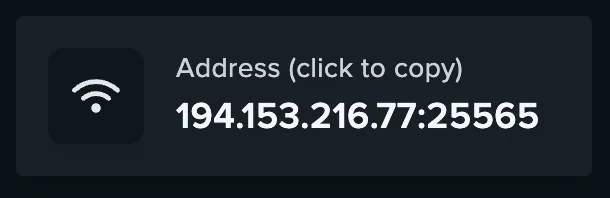
Copy your server’s IP address and port from the top-right of the console:
-
Visit the Minehut control panel and select your server. Switch to the Settings tab and scroll down to the external server section:
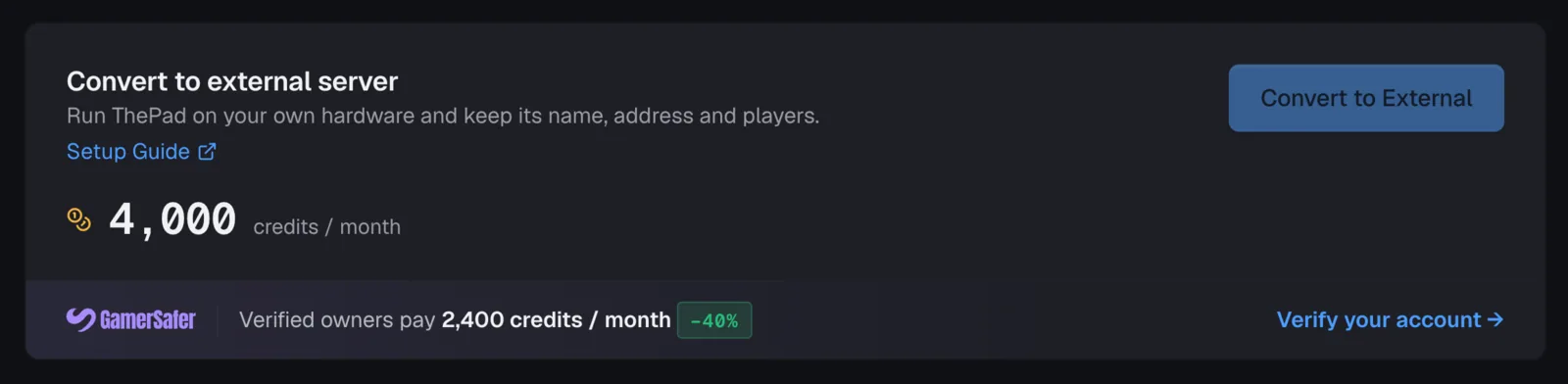
Convert your server to an External plan which will cost around $13 worth of credits per month if you’re a GamerSafer Verified Owner, or $21.50 if you’re not.
-
Enter your server’s IP and port in the Minehut control panel so they know where to forward connections to. Your server type will likely be a Standalone/Paper server, unless you’re running a proxy (which is probably Velocity).
-
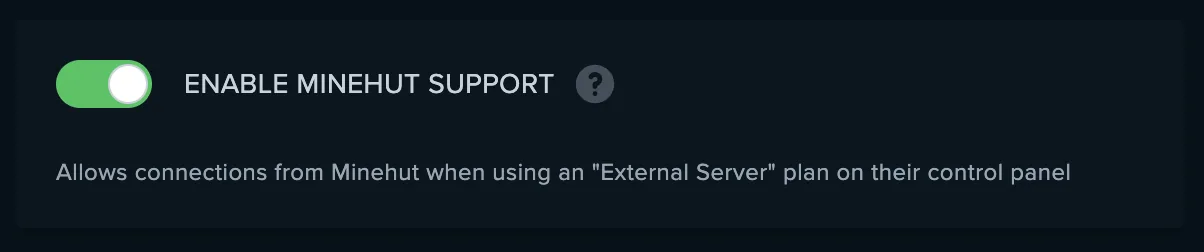
Go back to your Lilypad panel and click on the Startup tab of your server, then toggle the Enable Minehut Support option like below:
-
Make sure
enforce-secure-profileis set tofalsein yourserver.propertiesfile, and enable theproxy-protocoloption in your server’sconfig/paper-global.ymlfile. -
Finally, restart your server and you should be good to connect via Minehut using the
/join <server name>command within the lobby.
Using a custom domain
Want to allow connections to your server through a custom domain? Follow Minehut’s guide on that here — FYI this will still route all player connections through Minehut’s network, but your server will now be accessible through both Minehut’s lobby and your domain.
More Minecraft guides
- Getting started with your Minecraft server
- Which Minecraft server software is right for me?
- Install a modpack on your Minecraft server
- Upload mods/plugins to your Minecraft server
- Change the software/version on your Minecraft server
- Transfer your server from another provider
Still stuck?
Just get in touch! We're happy to help with any issues
Something not working? Check our status page to see if it's on our end