
Set up Bedrock crossplay on your Minecraft server
1 min read
Recently, cross-platform Minecraft servers have become more popular, allowing Bedrock players to join Java Edition servers – something that was never possible before. Lilypad has made it simpler than ever to make your server cross-platform.
-
Head to our game panel at panel.lilypad.gg and select your server.
-
Select the Software button in the sidebar, then select the software you’d like to install. Paper works great and usually supports the latest version of Minecraft, along with any other necessary plugins. You’ll then need to select the latest version of Minecraft that’s available in order to properly allow Bedrock players to join.
If Paper isn’t available for the latest version of Minecraft but you’d still like to have support for Bedrock players, install the latest available version and add ViaVersion to your server after following this guide.
-
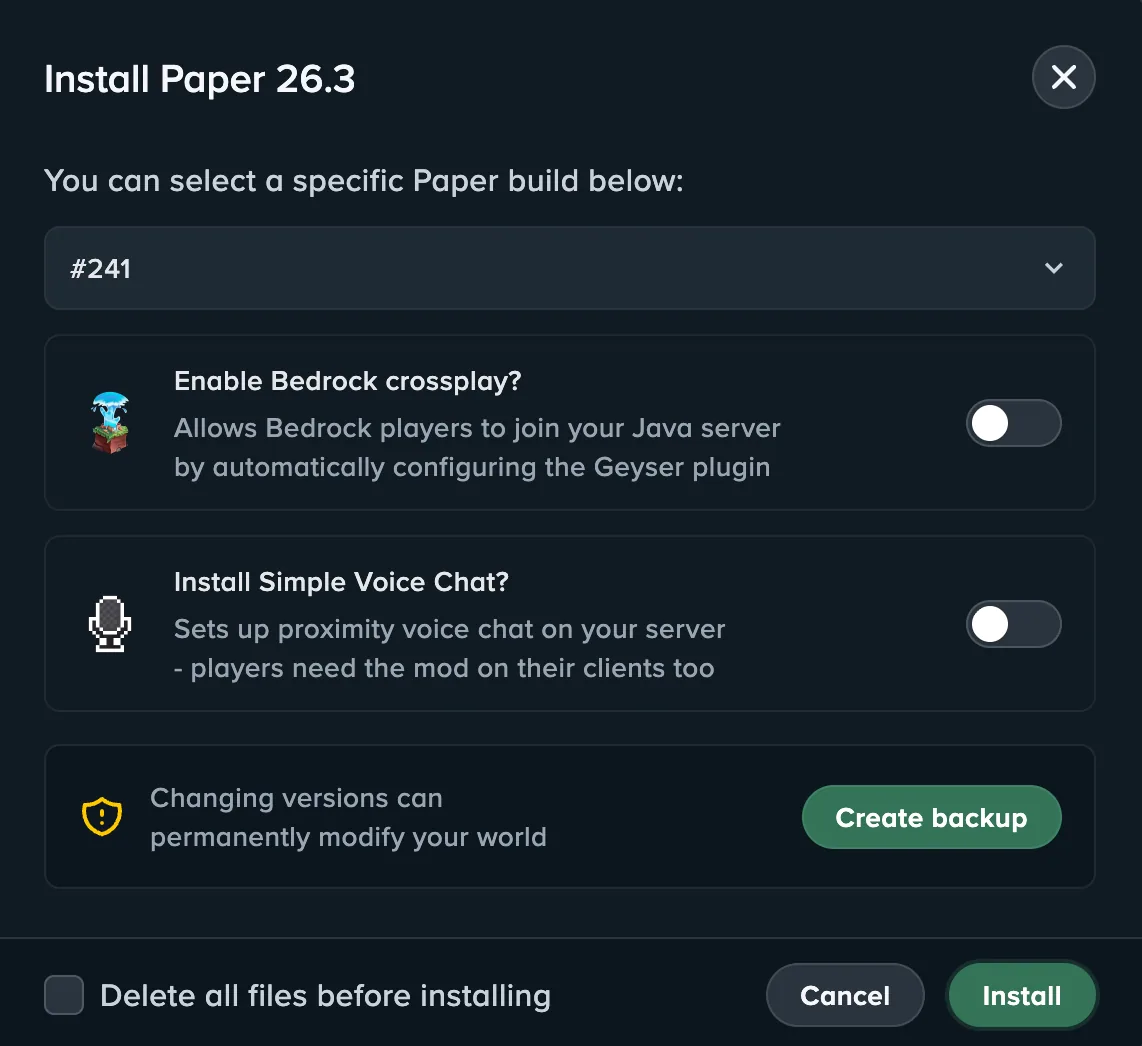
Toggle the Enable Bedrock crossplay? option then Install, as shown below:
-
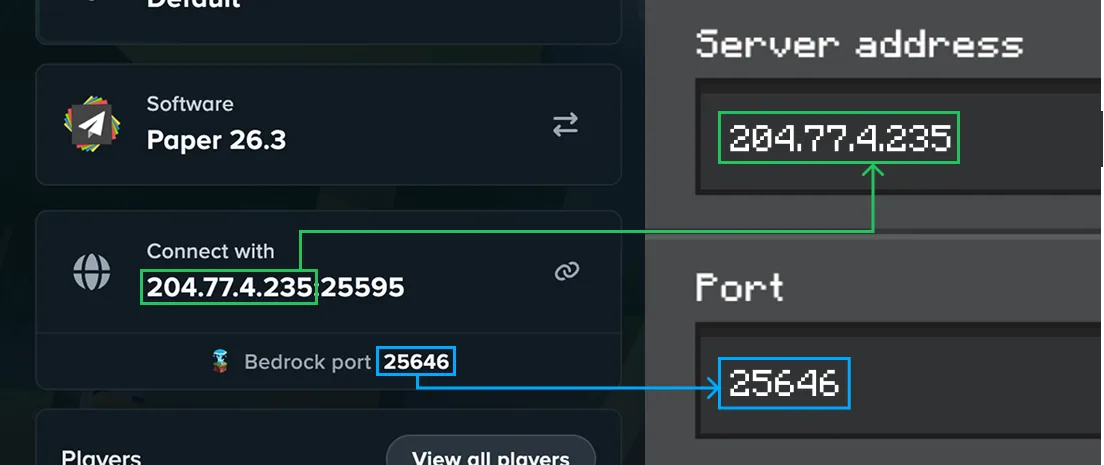
Start your server and Bedrock players should now be able to connect to your server using a newly created port, which will be displayed under your server’s address in the Home tab. Console players can follow the guide here to join from Xbox/PlayStation/Nintendo devices.
More Minecraft guides
- Give other users access to your control panel
- Set up automatic backups for your Minecraft server
- Set up automatic restarts for your Minecraft server
- Add a resource pack to your Minecraft server
- Add a datapack to your Minecraft server
- Link your Minecraft chat to a Discord server
Still stuck?
Just get in touch! We're happy to help with any issues
Something not working? Check our status page to see if it's on our end